1
One tap for the day.
In The day, you choose one of three states. The entry then shrinks, leaving room for the rest of the day.
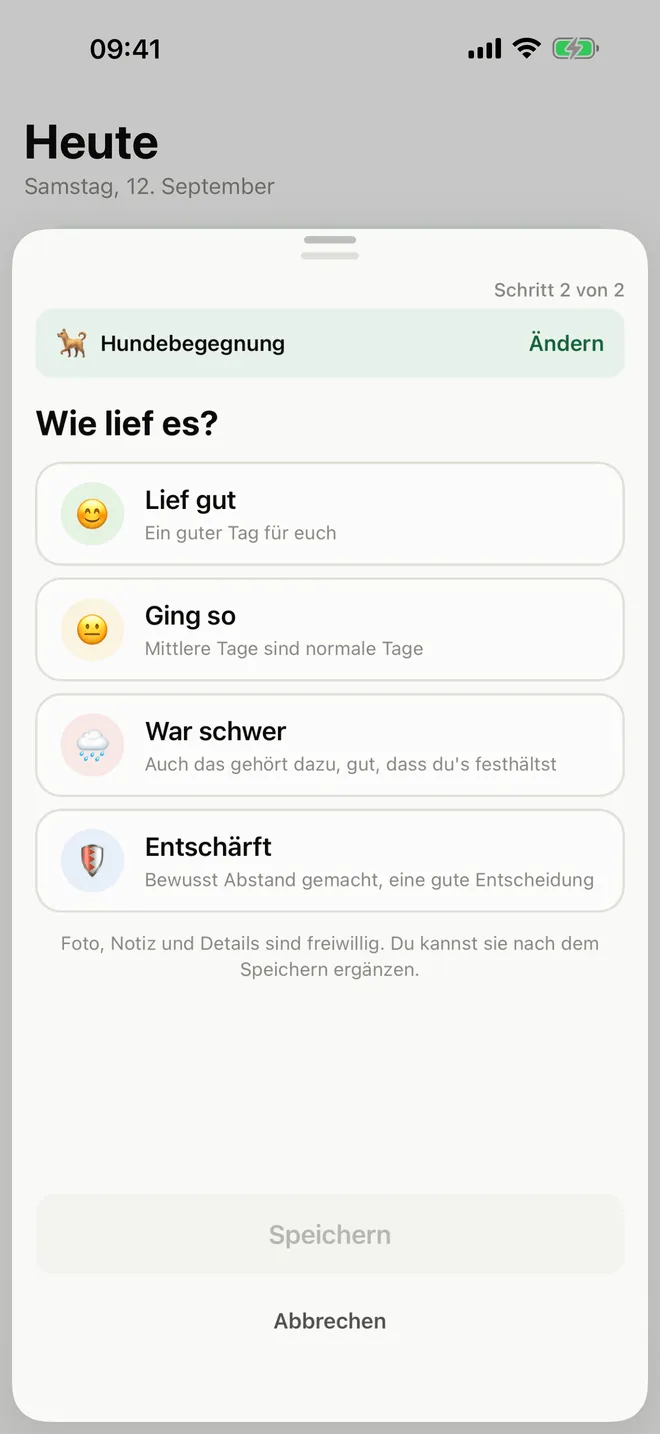
What kind of day was it?
🟢 Went well
🟡 Was okay
🔴 Was difficult
🔵 Defused
The day entry takes one tap. For anything else, open + Record. There you choose Walk, Something happened or Practised an exercise. Any extra details are optional.
It always sits above the tab bar. It leads to the entry types instead of filling the Today screen with several actions.
An event has a time and a state. Defusing a situation is a good decision.
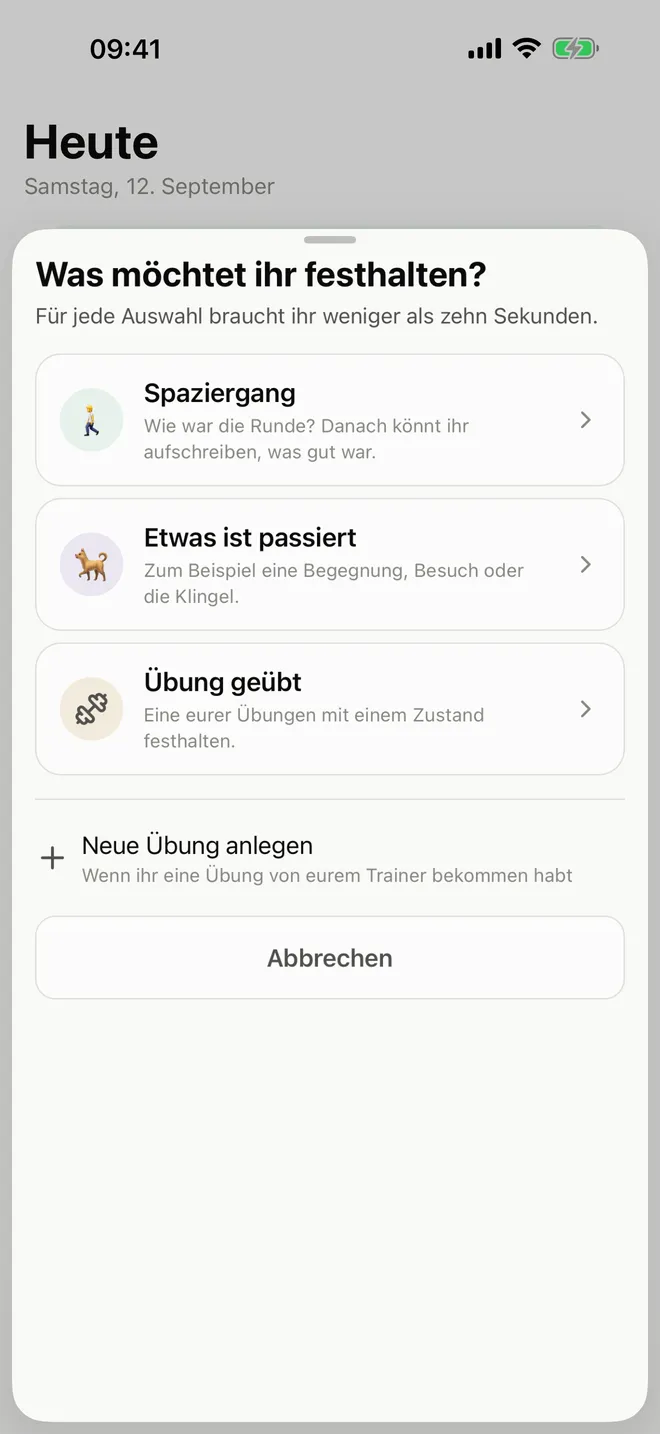
Today has three sections: The day, Still ahead and Recorded today. A section with nothing in it is absent. The only action for recording is + Record.
In The day, you choose one of three states. The entry then shrinks, leaving room for the rest of the day.
Walk, Something happened and Practised an exercise all begin in the same place. Time and state belong to the event. You can add more details if you want.
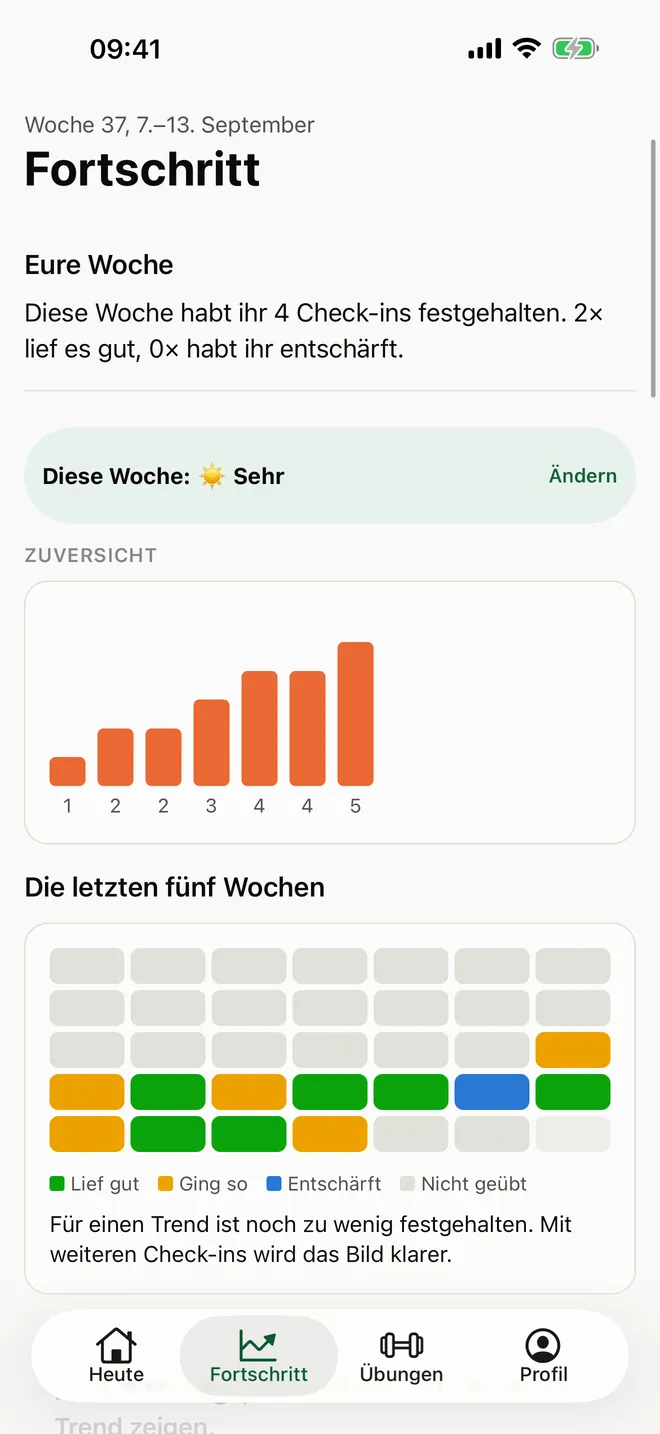
Until then, Canidio shows your history and where you are on the way to a trend. Only when there are enough entries does the app show what has changed.
A video belongs to an entry. It can belong to an exercise or another kind of entry. Your trainer can mark a moment in the video. The feedback returns to your entry instead of getting lost between chat messages.
“The video is with Markus.”
If your trainer does not use Canidio yet, they can reply through a browser link.
Not every week gets easier. Some situations stay difficult, some become difficult again and some simply happen less often.
Canidio shows what has changed and what is still difficult in your history. If you want to share it, you can bring in a trainer.